SellProof Docs
Products and reports
SellProof saves everything by itself: every product you describe, and every check and scan you run. 📦 Products is your product list; 📁 Reports is the archive of every result.
Products
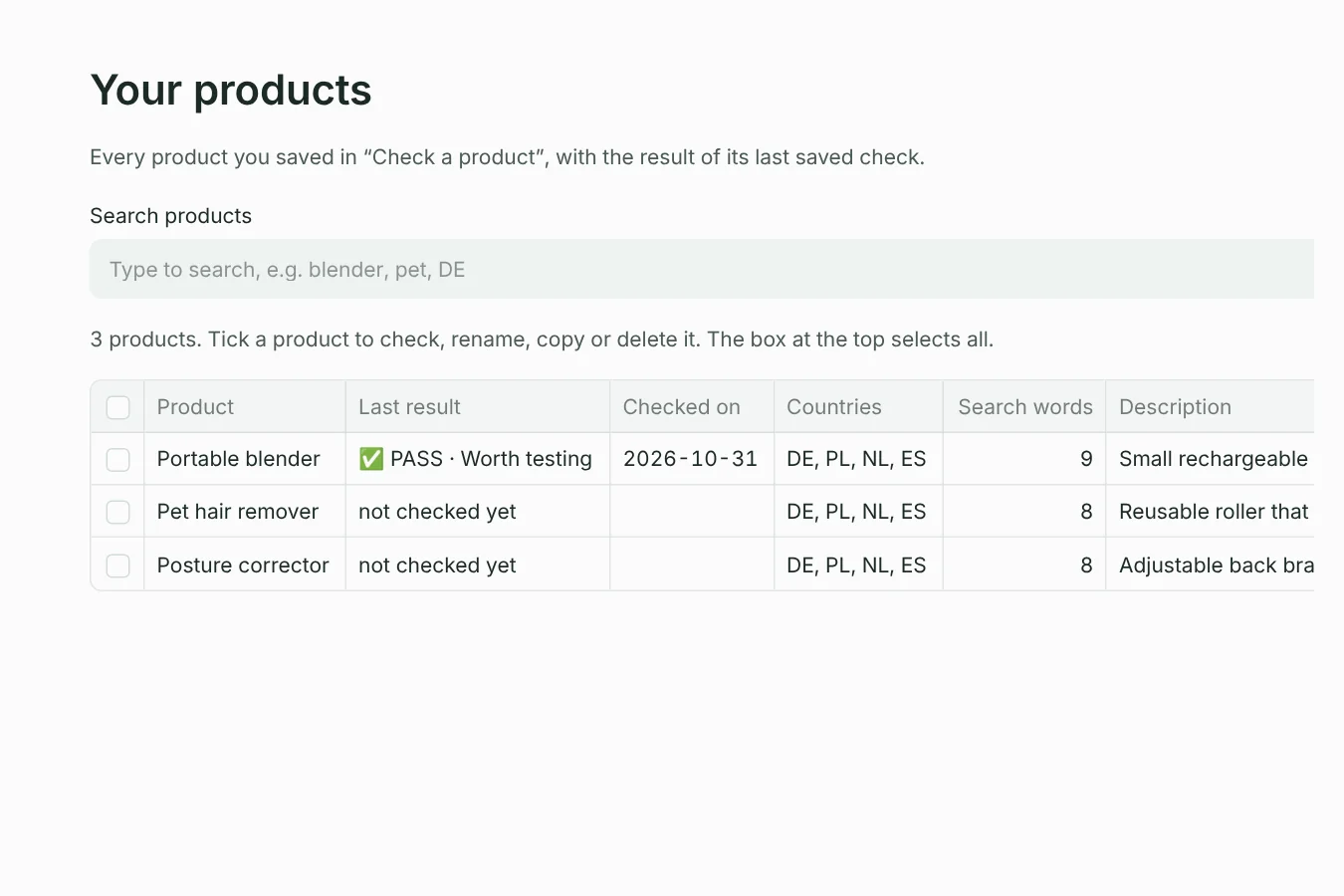
Every product from Check a product is listed here with the result of its last saved check, the date, its countries and the number of search words. Search products filters the list as you type.
Tick a product to work with it (the box at the top selects all):
| Button | What it does |
|---|---|
| 🔍 Check it | Opens the product in Check a product, ready to run again. Rechecking every few weeks shows whether competition grows or fades. |
| ✏️ Rename | Changes the product's name. |
| ⧉ Copy | Makes a copy, for example to try different search words or countries without losing the original. |
| 🗑 Delete | Deletes the product after you confirm. Its saved reports stay in Reports. |
➕ New product starts an empty product in Check a product.
Reports
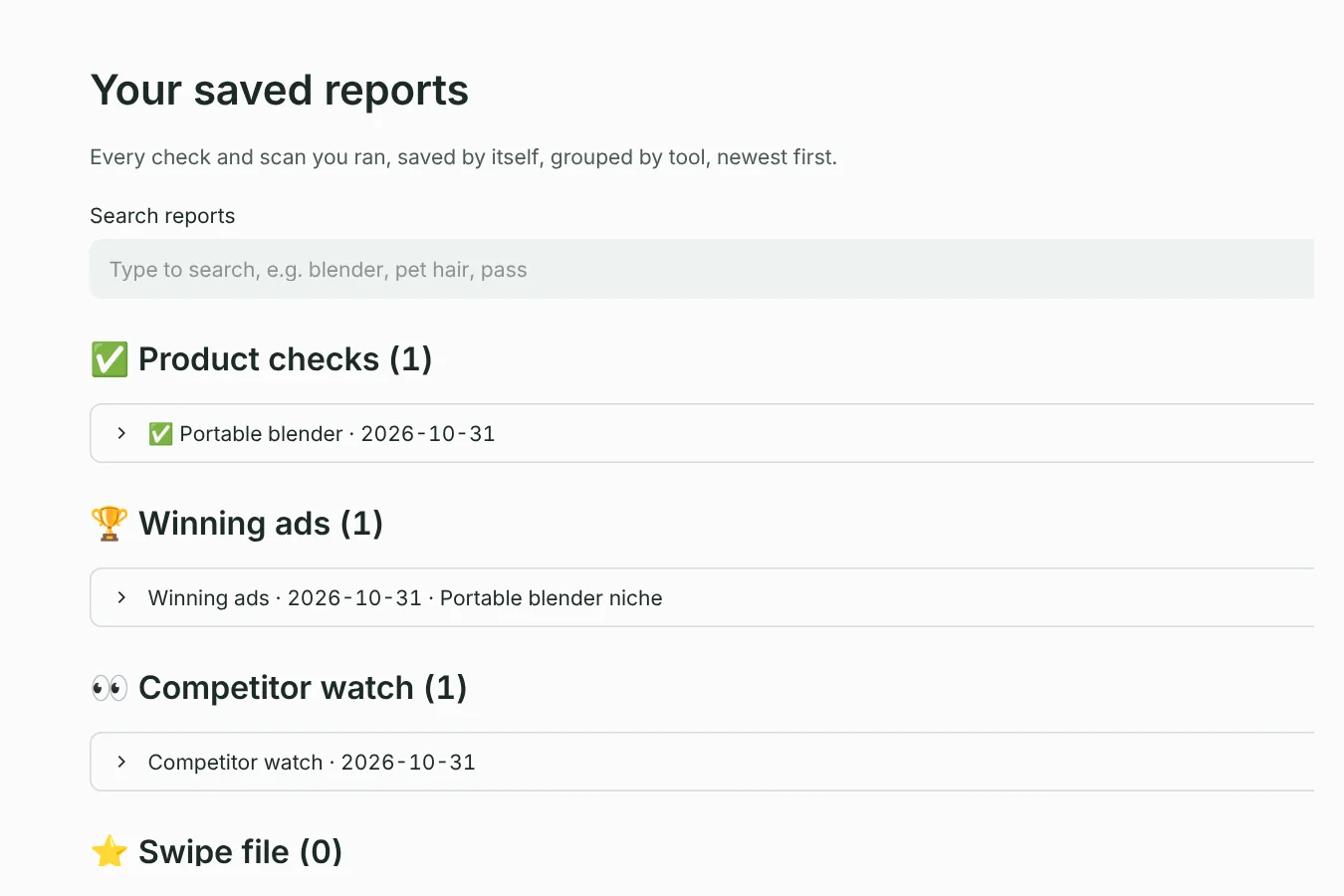
Every product check, winning-ads scan and competitor check is saved as a report, grouped by tool, newest first. Open one to see the full result again, without searching Meta again.
- Search reports finds reports by product, country or result, and forgives typos:
blender pass DEworks. - Download a report as a web page (HTML, to open in any browser or send to someone), text (Markdown, for Obsidian or Notion) or a table (CSV, for Excel or Google Sheets).
- Swipe file: the ads you saved with ⭐ Add to swipe file, in one Markdown note.
Where files are saved
| What | Default place |
|---|---|
| Reports | Documents/SellProof/reports |
| Swipe file | Documents/SellProof/swipe-file.md |
| Settings, products, cache and competitor history | SellProof's data folder: %APPDATA%\SellProof (Windows), ~/Library/Application Support/SellProof (Mac), ~/.local/share/SellProof (Linux) |
Change the reports folder and the swipe file in ⚙️ Settings → Where things are saved, with your system's normal folder dialog.
Using Obsidian or Notion
Reports and the swipe file are plain Markdown with a short header (product, date, verdict), so they work in any notes app.
- Obsidian: point the reports folder and the swipe file into your vault. New reports then show up in Obsidian by themselves, searchable and linkable.
- Notion: import the Markdown files, or paste a report into a page.
Backups and moving to a new computer
Your products and reports are only on your computer, so back them up like other documents. To move to a new computer, copy SellProof's data folder and your reports folder over, install SellProof there and activate your licence (deactivate the old computer first in ⚙️ Settings → License).
Something unclear or missing? Write to support@setuplabco.com or use the contact form: we answer every message and improve these pages from your questions.