SellProof Docs
Watch competitors
👀 Watch competitors follows the brands you care about. Each check shows what they launched, what they're scaling and what they switched off since your last look, so you spot their next winner early without scrolling through their ads every day.
Add competitors
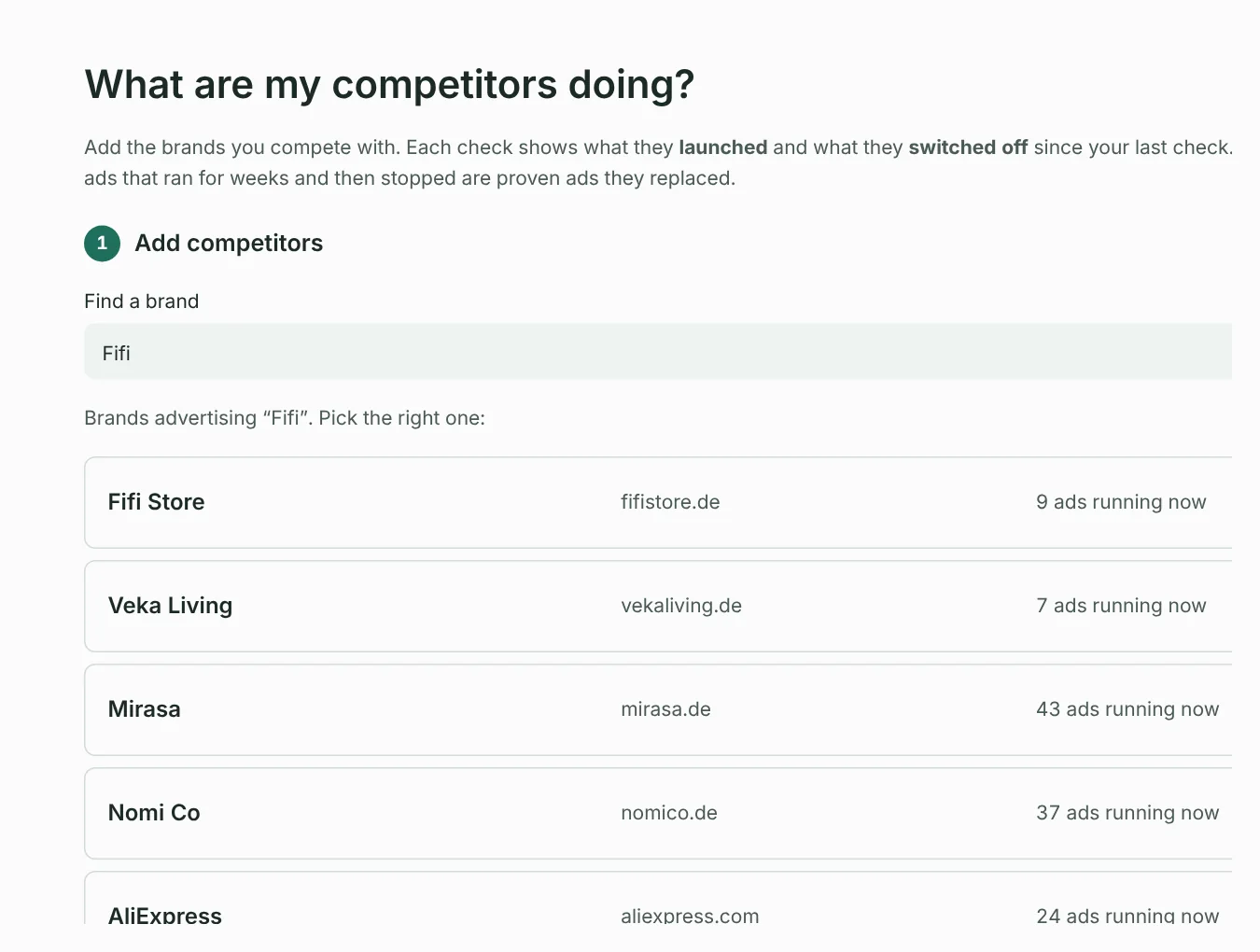
There are three ways to add a brand to Your watch list:
- Find a brand: type a brand or shop name and press 🔎 Find. SellProof lists the Facebook pages advertising under that name, with how many ads each runs. Press ➕ Add next to the right one.
- From your results: tick competitors in Check a product or brands in Winning ads and press 👀 Watch.
- By Page ID: under Add by Page ID (advanced), paste the brand's Facebook Page ID (a long number). Use it when several pages share the same name.
Check competitors
Press 👀 Check competitors. SellProof looks up each brand's ads in your countries and compares them with your last check.
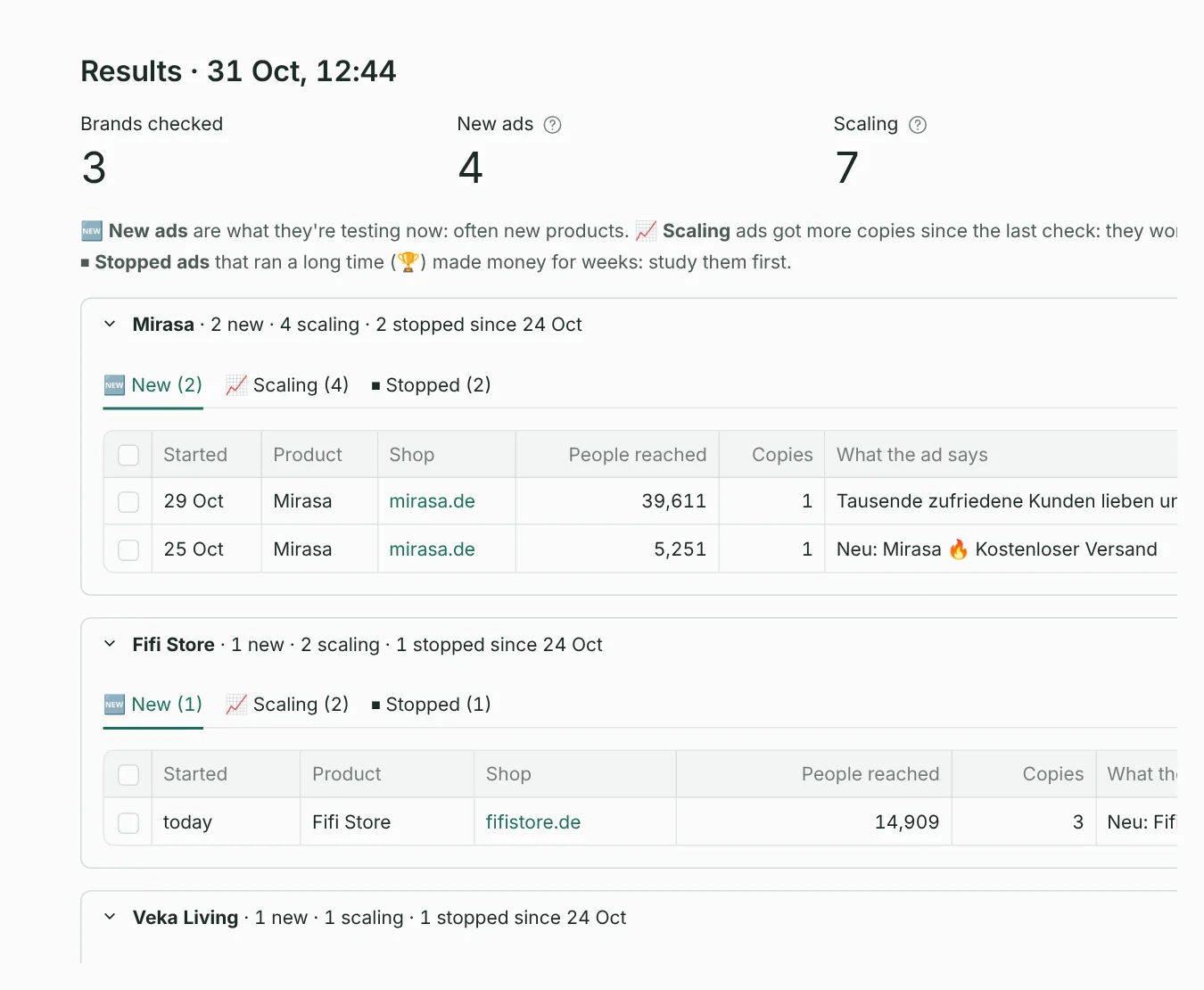
| Tab | What it shows | What it tells you |
|---|---|---|
| 🆕 New | Ads that started since your last check. | What they're testing now: often new products or new angles. |
| 📈 Scaling | Ads that now run in more copies than at your last check. | What's working for them: they're putting more money behind it. |
| ⏹ Stopped | Ads Meta lists as stopped since your last check. | What they dropped. Stopped ads that ran for weeks (🏆) made money; study them. |
Each brand also shows a small trend of its ad count over your checks.
How the comparison works
- Your first check covers the last 7 days, so you see something right away.
- After that, each check compares with your last check from an earlier day. Meta gives dates, not times, so several checks on the same day all compare with the same earlier check.
- Facts only: “new” and “stopped” come from Meta's start and stop dates. For very big brands, with more ads than SellProof reads per search, copies can't be compared between checks, so SellProof doesn't guess there. You can raise Max ads per search in Settings.
Tips
- Check once or twice a week. Daily checks rarely show more, and each one counts toward Meta's hourly limit.
- Watch 5–15 brands in your niche: the ones that came up as real competitors in your product checks are the best start.
- Tick interesting ads and press ⭐ Add to swipe file to keep them.
Something unclear or missing? Write to support@setuplabco.com or use the contact form: we answer every message and improve these pages from your questions.